

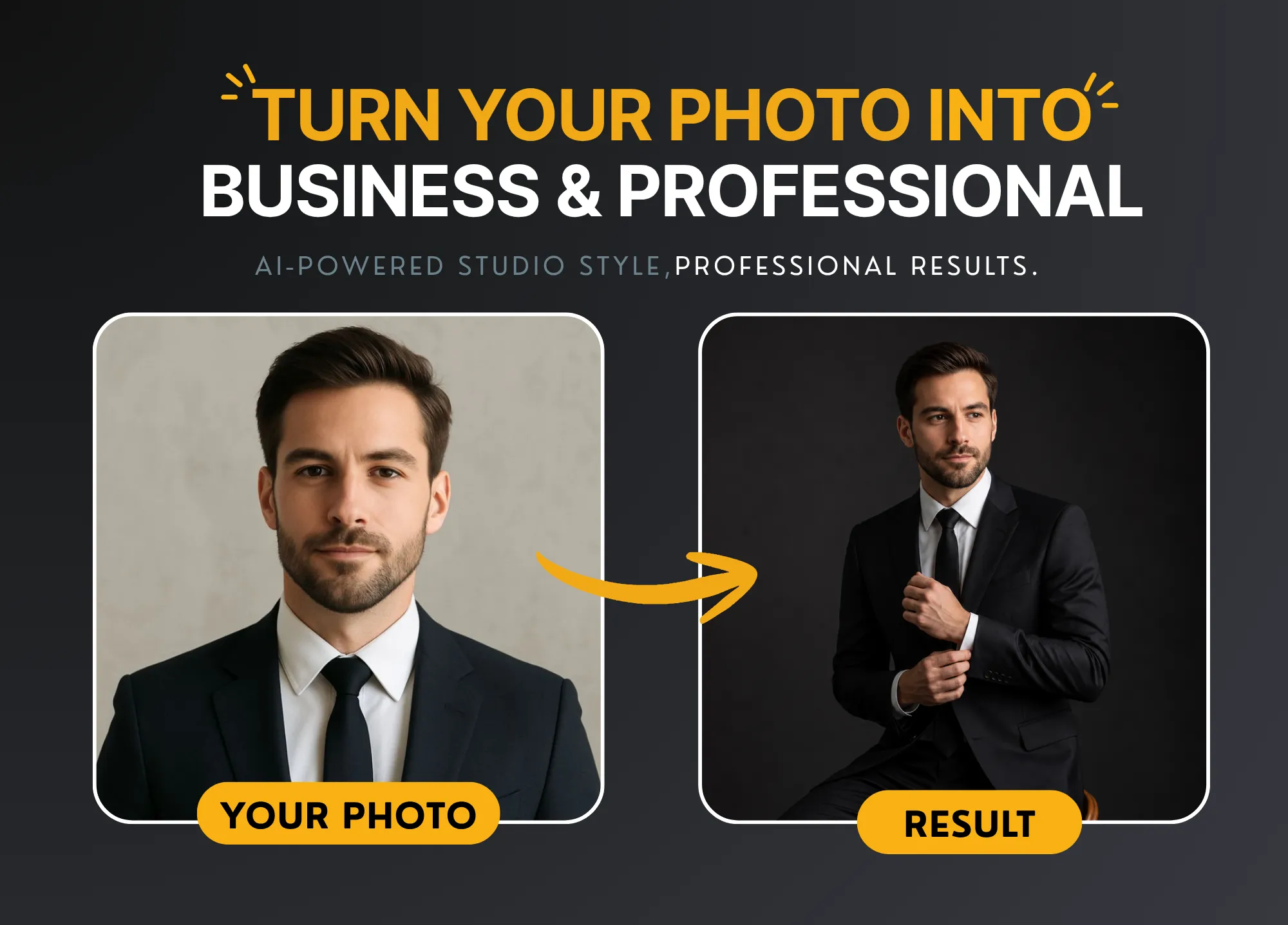
Cinematic AI Portrait Prompt (Copy & Paste to Generate Studio Photos)
Artificial Intelligence has completely transformed the way we create images. Today, you don’t need a professional camera, expensive lighting, or a studio setup to create high-quality portraits. With the right cinematic AI portrait prompt, you can generate stunning, studio-level images in seconds.
If you’ve ever wanted to turn your casual photo into a luxury, professional-looking portrait, you’re in the right place. In this guide, I’ll show you a powerful, copy-and-paste AI prompt that works perfectly with tools like ChatGPT, Gemini, Midjourney, Leonardo AI, and Stable Diffusion.
Let’s dive in.
🎯 Why Use a Cinematic AI Portrait Prompt?
Most people struggle with AI image generation because they use weak or generic prompts. The result? Low-quality, unrealistic, or inconsistent images.
A well-crafted cinematic AI portrait prompt solves that problem by:
- Creating realistic lighting and shadows
- Enhancing facial details and skin texture
- Producing professional studio-quality results
- Maintaining a clean and minimal composition
- Giving your image a luxury, editorial look
In short, the right prompt turns ordinary photos into magazine-level portraits.
📸 Copy & Paste Cinematic AI Portrait Prompt
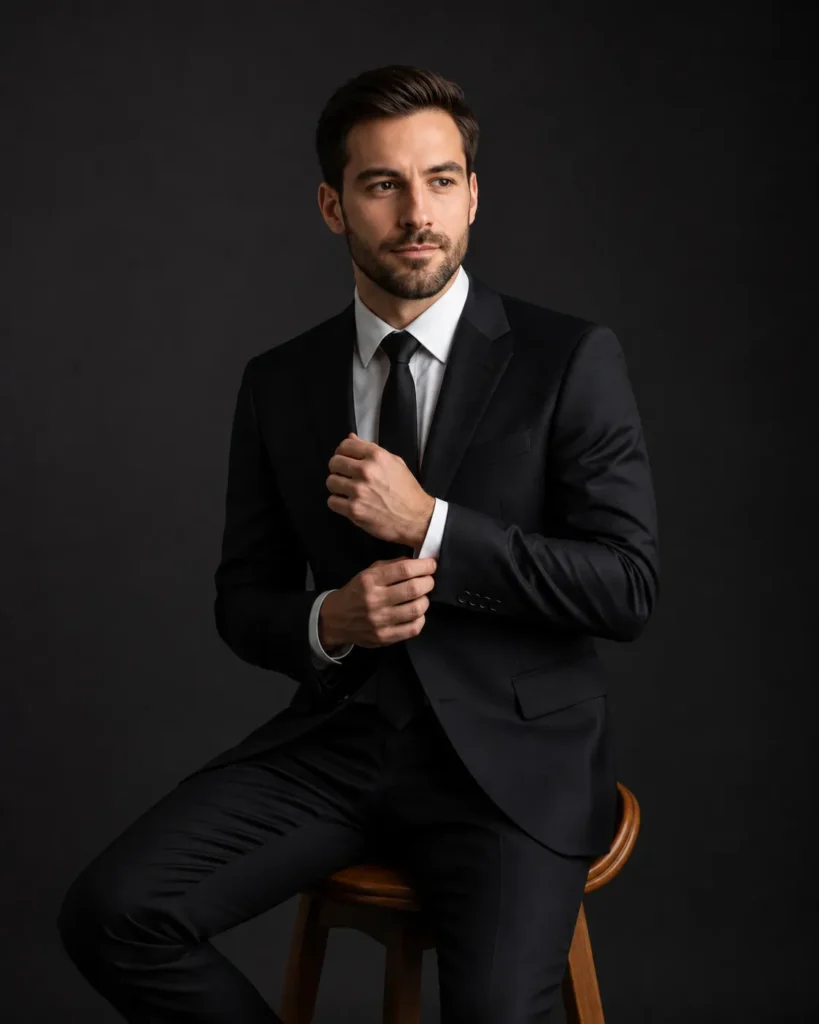
Here’s the exact prompt you can use 👇
Use the uploaded face as the subject.

A professional studio portrait of a confident young man sitting on a wooden stool, wearing a perfectly tailored black suit, white dress shirt, and black tie. He is adjusting his cufflink with one hand while looking slightly to the side with a calm, focused expression.

Lighting is dramatic and cinematic with soft shadows, high contrast, and a dark neutral background. The composition is clean and minimal, emphasizing elegance, masculinity, and luxury fashion style.

Ultra-realistic, high detail skin texture, sharp jawline, natural color grading, editorial photography style, shot on a high-end DSLR, 85mm lens, shallow depth of field, soft studio lighting, photorealistic.
⚡ How to Use This Prompt (Step-by-Step)
Even if you’re new to AI tools, you can easily generate your portrait by following these steps:
1. Choose an AI Tool
You can use this prompt in:
- ChatGPT (with image generation)
- Google Gemini
- Midjourney
- Leonardo AI
- Stable Diffusion
2. Upload Your Photo
Make sure your image:
- Is clear and high-resolution
- Has good lighting
- Shows your face clearly (front-facing works best)
3. Paste the Prompt
Copy the prompt above and paste it into the AI tool.
4. Generate the Image
Click generate and wait a few seconds.
5. Refine (Optional)
You can tweak:
- Outfit (change black suit to casual wear)
- Background (studio, office, outdoor)
- Mood (serious, smiling, confident)
🔥 Pro Tips for Better Results
To get the most out of this cinematic AI portrait prompt, follow these expert tips:
✔ Use a High-Quality Photo
The better your input image, the better your output.
✔ Keep Your Face Visible
Avoid sunglasses, heavy shadows, or extreme angles.
✔ Try Multiple Generations
AI results vary—generate 2–3 versions and pick the best.
✔ Adjust the Prompt Slightly
For example:
- Add: “luxury magazine cover style”
- Add: “sharp focus on eyes”
- Add: “soft rim lighting”
🎨 Why This Prompt Works So Well
This isn’t just a random prompt—it’s structured using professional photography principles.
Here’s why it works:
📷 Camera Details
- 85mm lens → Ideal for portraits
- Shallow depth of field → Blurred background, sharp subject
💡 Lighting
- Cinematic lighting adds depth and realism
- Soft shadows create a professional feel
👔 Styling
- Black suit = timeless, premium look
- Clean composition = no distractions
🧬 Realism
- “Ultra-realistic skin texture” ensures natural results
- “Editorial photography style” mimics magazine shoots
💼 Use Cases (Who Can Benefit?)
This AI portrait prompt is perfect for:
👨💼 Job Seekers
Create professional LinkedIn or resume photos without a photographer.
🧑💻 Freelancers & Entrepreneurs
Build a strong personal brand with high-quality visuals.
📱 Social Media Creators
Upgrade your Instagram or profile pictures instantly.
🏢 Business Owners
Generate team photos or marketing visuals.
🆚 AI Portrait vs Real Photography
| Feature | AI Portrait | Traditional Photography |
|---|---|---|
| Cost | Free or low | Expensive |
| Time | Seconds | Hours |
| Setup | None | Studio needed |
| Flexibility | Unlimited | Limited |
| Editing | Built-in | Requires software |
AI clearly wins for speed, affordability, and flexibility.
🧩 Customize This Prompt (Advanced)
Want to go beyond the basic version? Try these variations:
🔹 Casual Look
Replace:
“black suit, white dress shirt”
With:
“casual outfit, denim jacket, relaxed style”
🔹 Outdoor Scene
Replace:
“dark neutral background”
With:
“sunset city background with cinematic lighting”
🔹 Female Version
Replace:
“young man”
With:
“confident young woman”
⚠️ Common Mistakes to Avoid
Even with a strong prompt, some users make these mistakes:
❌ Using blurry or low-quality images
❌ Overloading the prompt with too many instructions
❌ Not specifying lighting or camera style
❌ Ignoring composition
Keep your prompt clean, structured, and focused.
🚀 Future of AI Portrait Generation
AI is evolving fast. In the near future, we can expect:
- Real-time portrait generation
- 3D avatar creation
- Hyper-realistic identity preservation
- Personalized AI photo studios
Learning how to use prompts like this now gives you a huge advantage.
✍️ Final Thoughts
Creating professional portraits no longer requires expensive gear or photographers. With the right cinematic AI portrait prompt, you can generate stunning images in seconds.
Just upload your photo, paste the prompt, and let AI do the magic.
If you’re serious about improving your online presence—whether for jobs, business, or social media—this is one of the most powerful tools you can use today.
📌 Bonus: Quick Copy Version
Cinematic AI portrait, professional studio photo, black suit, dramatic lighting, ultra realistic, 85mm lens, shallow depth of field, luxury editorial style

