

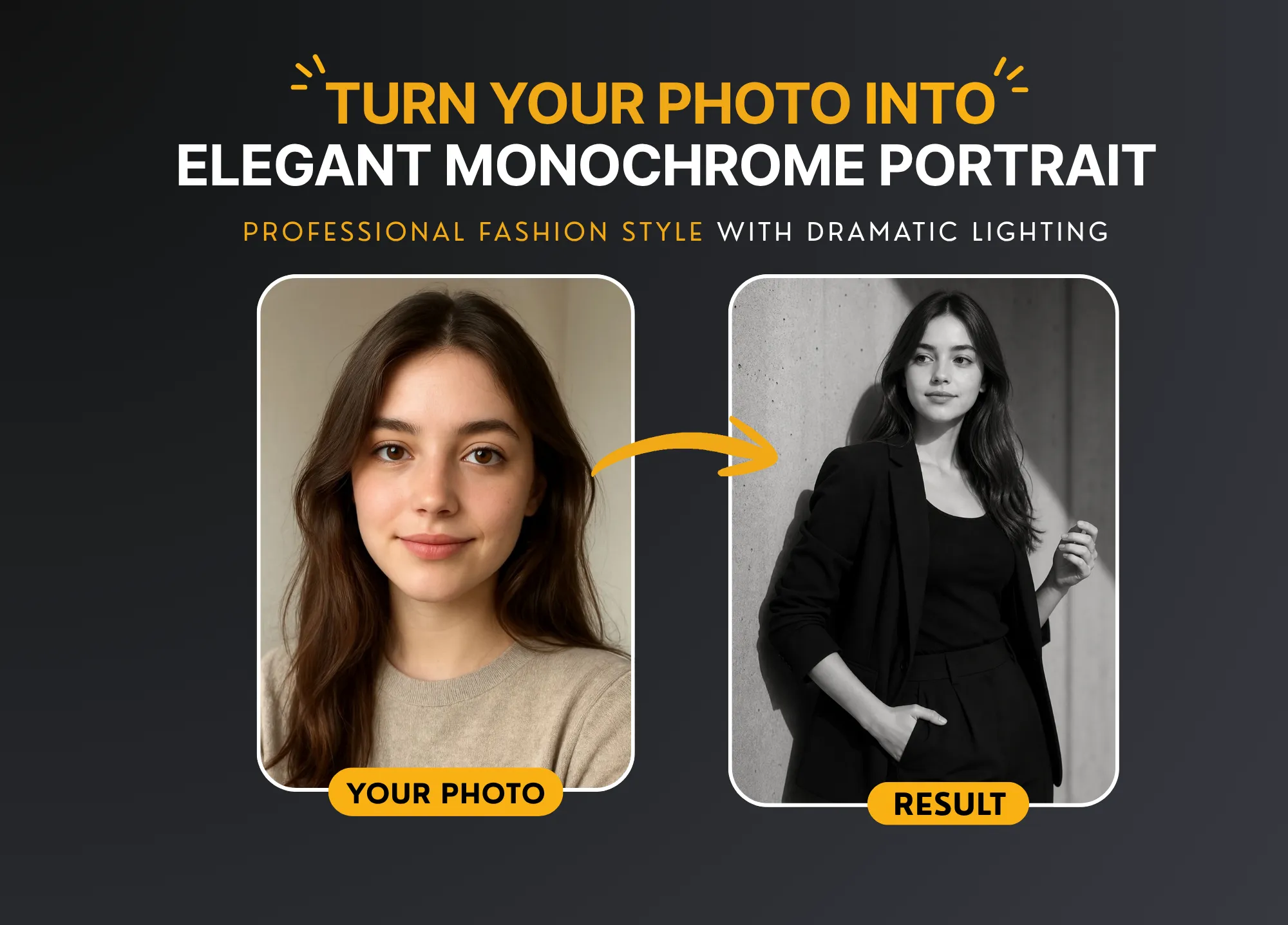
How to Create Professional Black and White Portraits Using an AI Image Generation Prompt
Artificial intelligence is changing the way we create images. Today, anyone can generate stunning visuals without expensive cameras or studios. One of the most powerful ways to do this is by using a well-crafted AI image generation prompt.
In this guide, you will learn how to create professional black-and-white portraits using AI tools like ChatGPT, Gemini, Midjourney, and DALL·E. You will also get a ready-to-use prompt that delivers cinematic, high-quality results.
Why Use an AI Image Generation Prompt?
An AI image generation prompt is a detailed instruction you give to an AI tool. The quality of your result depends heavily on how well you write the prompt.
A good prompt helps you:
- Control lighting and mood
- Define clothing and style
- Set camera angles and composition
- Achieve realistic and professional results
Without a proper prompt, your output may look generic or unrealistic. That’s why using a structured prompt is essential.
Why Black and White Portraits Are So Popular
Black and white portraits have a timeless appeal. They remove distractions and focus on emotion, expression, and texture.
Here are some reasons why they work so well:
- Classic look: Always stylish and professional
- Better contrast: Highlights facial features clearly
- Emotional depth: Creates a cinematic feel
- Minimal distractions: Focus stays on the subject
When combined with AI, this style becomes even more powerful.
The Best AI Image Generation Prompt (Copy & Paste)
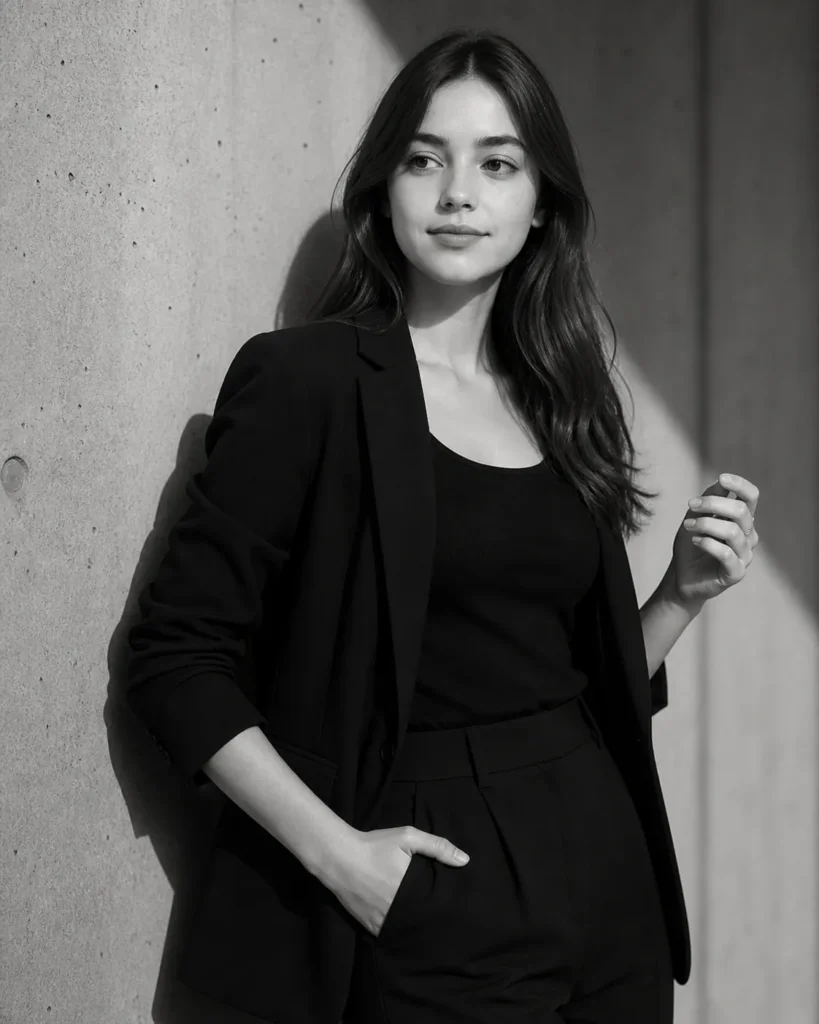
Below is a high-quality AI image generation prompt you can copy and use directly:
Create a professional black-and-white portrait of the person in the reference image. The subject is standing against a textured concrete wall with dramatic natural light casting soft shadows across the face and background.

The person is wearing a modern, tailored black blazer over a fitted top, with one hand in their pocket and the other slightly raised near the chest in a relaxed pose.

Style: editorial fashion photography, minimalistic, high contrast, monochrome.

Lighting: soft directional sunlight from the side, creating gentle shadows and depth.

Expression: calm, confident, slightly serious, looking off-camera.

Composition: waist-up portrait, shallow depth of field, sharp focus on the face, smooth skin tones, natural texture preserved.

Camera style: 85mm lens, f/2 aperture, cinematic look, ultra-realistic, high detail.

Replace the face with the uploaded reference image while maintaining natural facial structure, skin tone, and identity.
How to Use This AI Image Generation Prompt
Using this AI image generation prompt is very simple. Follow these steps:
Step 1: Choose an AI Tool
You can use:
- ChatGPT (with image tools)
- Gemini
- Midjourney
- DALL·E
- Leonardo AI
Step 2: Upload Your Image
Upload a clear front-facing photo. Make sure the face is visible and well-lit.
Step 3: Paste the Prompt
Copy the prompt and paste it into the AI tool.
Step 4: Generate the Image
Click generate and wait for the result.
Step 5: Refine (Optional)
If needed, adjust lighting, pose, or style keywords.
Best AI Tools for Portrait Generation
Choosing the right tool can improve your results. Here are the top options:
1. Midjourney
- Best for artistic and cinematic portraits
- High-quality lighting and textures
2. DALL·E
- Easy to use
- Great for realistic outputs
3. Gemini
- Good integration with Google tools
- Fast and efficient
4. Leonardo AI
- Excellent for detailed control
- Ideal for professional users
Each tool supports the AI image generation prompt in slightly different ways, so testing is recommended.
Tips to Improve Your AI Portrait Results
Even with a strong AI image generation prompt, small changes can make a big difference.
Use Clear Lighting Instructions
Lighting defines mood. Words like:
- soft light
- cinematic lighting
- natural sunlight
can improve realism.
Add Camera Details
Including camera settings like:
- 85mm lens
- f/2 aperture
makes the image look professional.
Keep It Minimal
Avoid adding too many conflicting instructions.
Focus on Expression
Expressions like:
- confident
- calm
- serious
help the AI understand the emotion.
Common Mistakes to Avoid
Many users make simple errors when writing prompts.
1. Too Vague
Avoid short prompts like:
“Create a portrait”
2. Too Many Styles
Mixing styles can confuse the AI.
3. Ignoring Lighting
Lighting is key for realism.
4. No Reference Image
If you want your face included, always upload a photo.
Who Can Use This AI Prompt?
This AI image generation prompt is useful for:
- Freelancers
- Photographers
- Social media creators
- Job seekers (LinkedIn profile photos)
- Designers
It’s especially useful if you want a professional look without a photoshoot.
SEO Benefits of Using AI Images
Using AI-generated images on your website can also improve SEO.
- Unique visuals increase engagement
- Better user experience
- Lower bounce rates
- Higher time on page
When optimized correctly, images can drive traffic from Google Image Search.
Final Thoughts
A well-written AI image generation prompt can completely transform your results. Instead of random outputs, you get professional, cinematic portraits that look like they were taken in a studio.
The prompt shared in this guide is designed for high-quality black-and-white portraits. It works across multiple AI tools and is easy to use.
If you want better results, focus on:
- Clear instructions
- Lighting details
- Camera settings
- Realistic descriptions

