

In today’s digital world, your profile picture is more important than ever. Whether you’re applying for jobs, building a personal brand, or growing your LinkedIn presence, a professional headshot can make a powerful first impression.
But hiring a professional photographer can be expensive and time-consuming.
That’s where AI image generation tools come in.
With the right AI professional headshot prompt, you can create studio-quality portraits in minutes — no camera, no studio, no stress.
In this guide, you’ll get a high-quality, copy-and-paste prompt that works perfectly with tools like ChatGPT (DALL·E), MidJourney, Leonardo AI, and Google Gemini.
🚀 Why Use AI for Professional Headshots?
AI-generated images have improved dramatically in recent years. Today, they can produce results that look almost identical to real photography.
Here’s why people are switching to AI headshots:
- 💰 Cost-effective – No need to pay photographers
- ⚡ Fast results – Generate images in seconds
- 🎯 Highly customizable – Control lighting, outfit, mood, and style
- 📸 Professional quality – Studio-level visuals without a studio
- 🔄 Unlimited variations – Try different looks instantly
For job seekers, freelancers, and entrepreneurs, this is a game-changer.
📋 Copy & Paste AI Professional Headshot Prompt
Here’s the optimized prompt you can use right now:
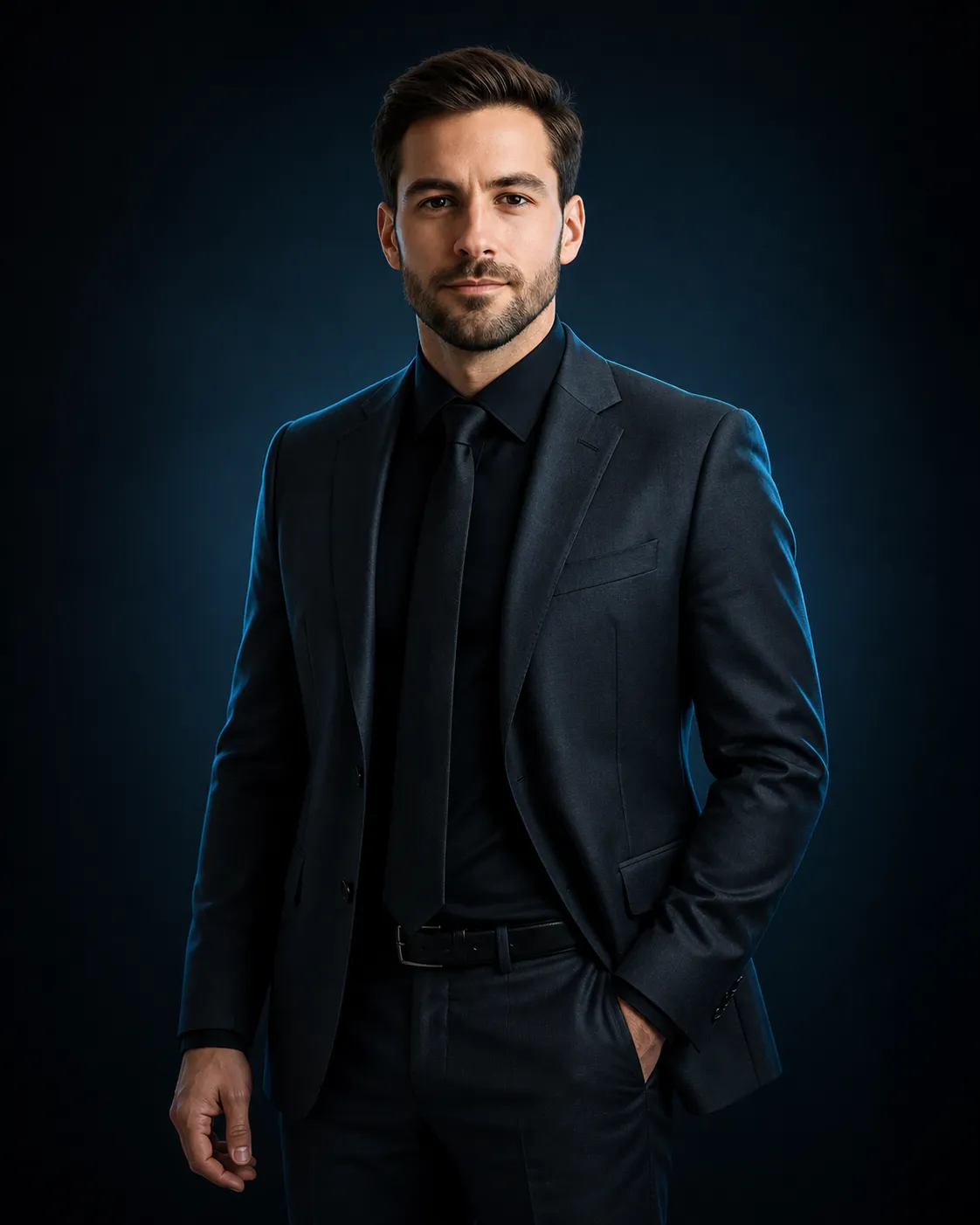
A professional studio portrait of a confident man wearing a tailored dark charcoal suit with a black dress shirt and black tie. The subject is standing in a relaxed yet powerful pose, one hand in pocket, facing forward with a calm, serious expression.

Use the uploaded face image as the subject’s face, keeping facial features accurate, realistic, and well-integrated with the body. Maintain natural skin texture and proportions.

Lighting is cinematic with cool blue rim lighting from the side, creating soft highlights along the edges of the suit and face. The main light is soft and frontal, producing smooth shadows and depth. The background is a dark gradient (black to deep blue), minimal and clean, studio environment.

Style is ultra-realistic, high-end fashion photography, sharp focus, 4K resolution, editorial magazine look. Fine details in fabric texture, hair, and beard (if applicable). Subtle color grading with cool tones, dramatic but elegant mood.

Camera settings: 85mm lens, shallow depth of field, f/1.8, professional DSLR quality.

Generate image
👉 Tip: Upload a clear image of your face when using this prompt for best results.
🎯 Best AI Tools to Use This Prompt
Not all AI tools work the same way. Here are the best platforms where this prompt performs exceptionally well:
1. ChatGPT (DALL·E)
- Easy to use
- Great for beginners
- Supports image uploads
2. MidJourney
- High-end artistic quality
- Best for cinematic and dramatic portraits
3. Leonardo AI
- Strong realism
- Great for commercial use
4. Google Gemini
- Fast and improving rapidly
- Good for quick results
🧠 How This Prompt Works (Simple Breakdown)
This isn’t just a random description — it’s carefully structured for maximum realism and quality.
🔹 Subject Description
Defines clothing, pose, and expression to create a professional look.
🔹 Face Integration
Ensures your uploaded face blends naturally into the generated image.
🔹 Lighting Setup
Cinematic lighting adds depth, realism, and a premium feel.
🔹 Background Control
Keeps the focus on the subject while maintaining a clean look.
🔹 Camera Settings
Mimics real photography techniques for authentic results.
💼 Perfect Use Cases for AI Headshots
This AI portrait prompt is perfect for:
- LinkedIn profile photos
- Resume/CV images
- Job applications
- Personal branding
- Business websites
- Freelance platforms (Fiverr, Upwork)
- Social media profiles
If you’re applying for jobs in Australia or globally, having a polished image can increase your chances significantly.
🔧 Pro Tips to Get Better Results
Even with a great prompt, results can vary. Follow these tips to improve output quality:
✅ Use a High-Quality Face Image
- Good lighting
- Clear facial features
- Front-facing angle
✅ Adjust Expression
Add phrases like:
- “slight smile”
- “serious corporate look”
- “friendly and approachable”
✅ Modify Outfit
You can easily tweak the style:
- Navy suit instead of charcoal
- No tie for casual look
- Add glasses or accessories
✅ Try Multiple Generations
Generate at least 3–5 images and pick the best one.
⚠️ Common Mistakes to Avoid
- ❌ Using low-quality face images
- ❌ Overloading the prompt with too many details
- ❌ Ignoring lighting instructions
- ❌ Not specifying realism
Keep it clean and structured — like the prompt above.
📈 Why This Matters for Job Seekers (Especially in Australia)
At AUS Job News, we focus on helping job seekers stay ahead.
A strong first impression can set you apart from hundreds of applicants.
Recruiters often check:
- LinkedIn profiles
- Online presence
- Personal branding
A high-quality AI-generated headshot can instantly boost your credibility.
🔄 Customize This Prompt for Your Style
Want a different look? Try these variations:
🔹 Casual Version
Replace suit with:
“smart casual outfit with a white shirt and blazer”
🔹 Corporate Executive Style
Add:
“luxury CEO style, premium business environment”
🔹 Creative Freelancer Look
Use:
“modern creative outfit, soft natural lighting, relaxed expression”
🏁 Final Thoughts
AI is transforming the way we create professional images.
With the right AI professional headshot prompt, you don’t need expensive photoshoots anymore.
Just copy, paste, upload your face — and generate stunning results instantly.
If you’re serious about improving your online presence or landing your next job, this is one of the easiest upgrades you can make today.
📌 Quick Summary
- Use the provided AI portrait prompt
- Upload a clear face image
- Generate multiple variations
- Choose the most professional result
🔔 Stay Updated
For more tools, prompts, and job tips, visit:
👉 https://ausjobnews.com/

